
Name-Based Case Searches
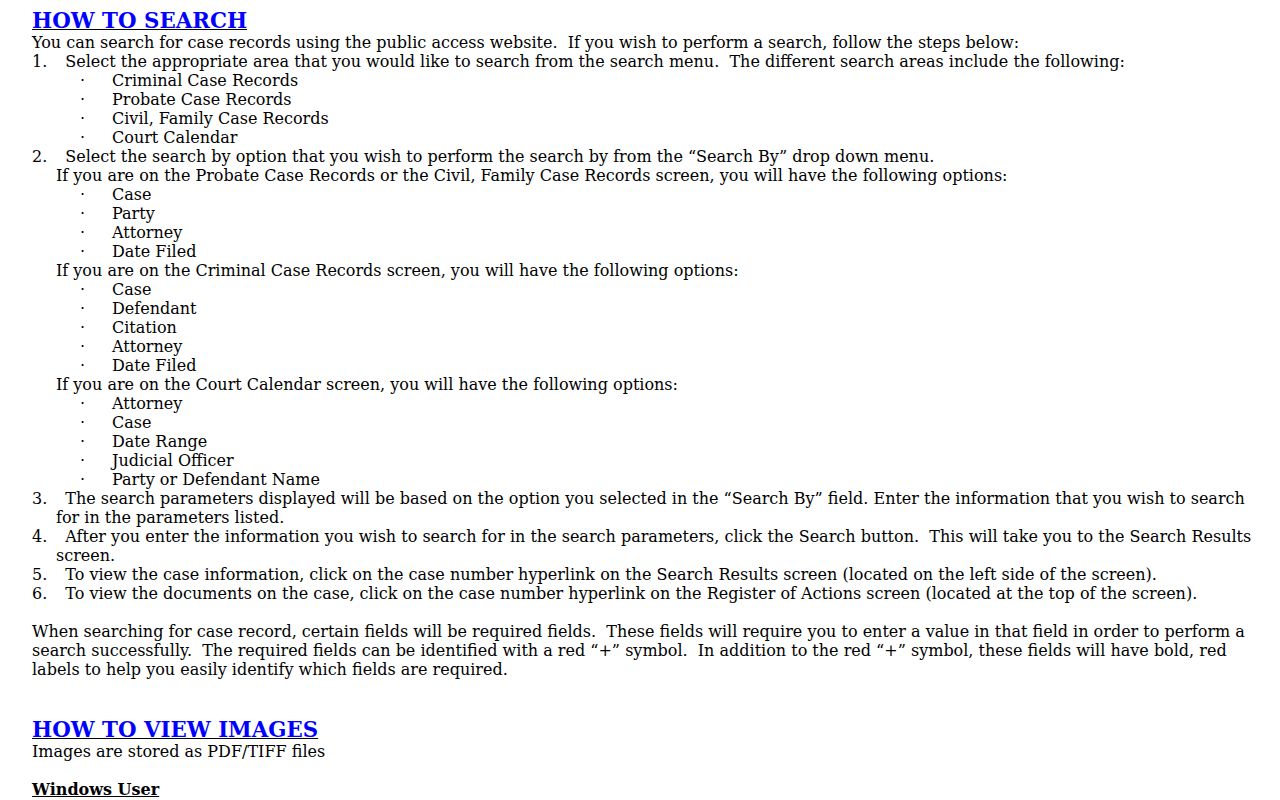
Fort Bend County splits its Odyssey Public Access menus into probate, civil and family, criminal, and calendar searches. Pick the case family before typing anything. Civil, family, and probate menus label people as "Party"; criminal menus say "Defendant." There's an attorney field too. The help page adds a Soundex option for phonetic matches and a * wildcard for name patterns. You cannot use both in one query, and a first- or last-name wildcard needs at least one character.
Go narrow first. Widen only if nothing comes back. That habit cuts common-name noise and makes court and filing-date differences easier to spot. Before opening a result, confirm it matches the case type and court you expected.
- Open the official Fort Bend Odyssey Public Access landing page and select Fort Bend.
- Choose Probate, Civil and Family, or Criminal Case Records.
- Select Party, Defendant, or Attorney and enter the most exact name available.
- Use a filing-date filter, Soundex, or wildcard only when the first search misses.
- Open the blue case-number link and confirm the court, status, and Register of Actions.
| Search field | Type | Required | Fort Bend use |
|---|---|---|---|
| Party or Defendant | Text | Varies | Names differ by civil and criminal menu |
| Attorney | Text | No | Finds cases tied to an attorney field |
| Date Filed | Date | No | Narrows the filing period |
| Soundex or wildcard | Option | No | Use one, not both |
Fort Bend Docket Search Menus
The county portal offers four doors rather than one universal form. Probate, civil and family, criminal, and court-calendar searches each come with controls suited to that record type. The official Odyssey landing page lays out those choices before any search begins.
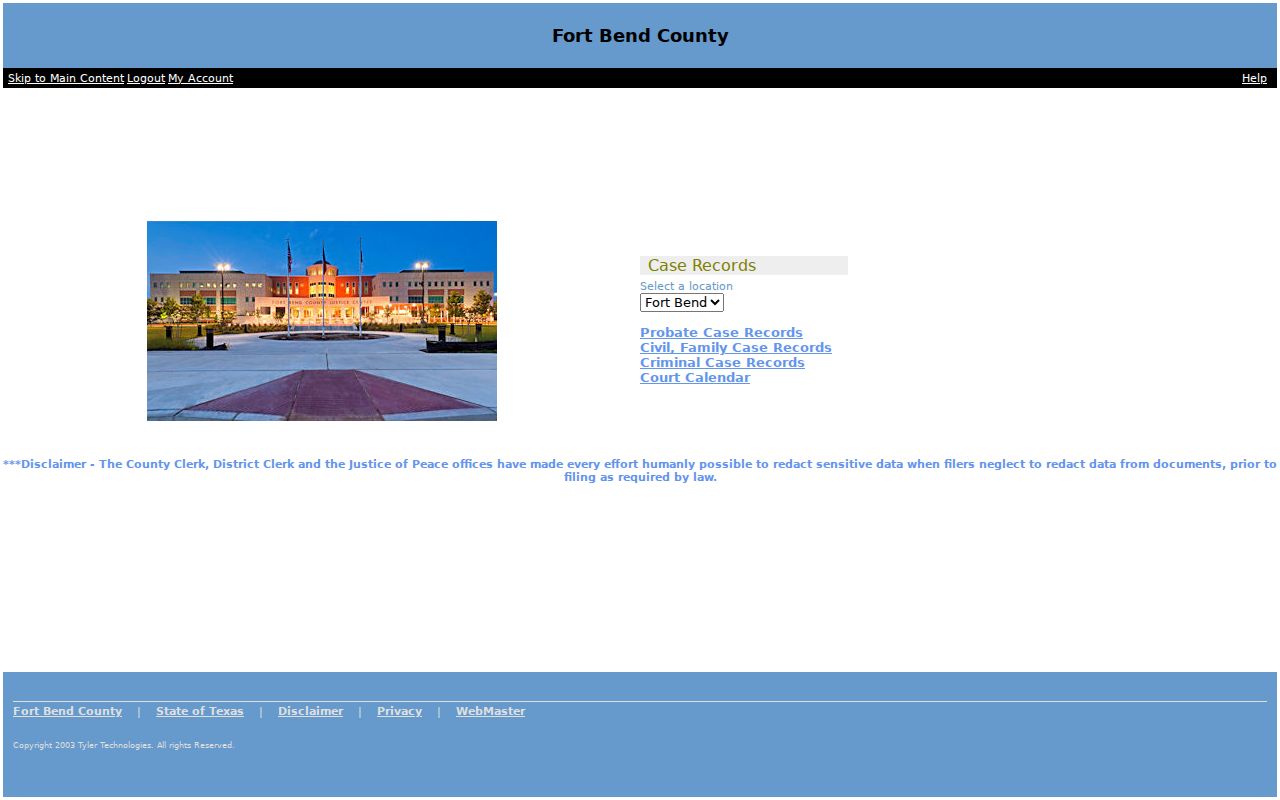
That menu split follows clerk duties. The District Clerk keeps district felony, civil, and family files. The County Clerk keeps County Courts at Law civil, misdemeanor, probate, juvenile, and related files. A Justice Court or city citation instead begins at its own lower court. Know your court before you search.
Case Number Searches
An exact cause or case number beats a name search. It points to one file instead of a crowd of people with similar names. In Odyssey, pick "Case." Type the number exactly as it appears on a notice, filing, or receipt. Wildcards are allowed in case numbers with at least four characters, not counting dashes. Fort Bend has no single numbering pattern shared across every district, county, JP, and municipal court. Copy the issued value rather than trying to rebuild it.
A neutral placeholder like COURT-YEAR-SEQUENCE helps you understand the parts only. Local systems may not follow that order. If Odyssey rejects a copied number, strip stray spacing. Check the dashes, confirm the case family, and call the clerk named on the document.
Fort Bend Search Control Traps
Broad queries can fail for reasons that look like missing court records. Soundex and the wildcard cannot be combined in one search. A name wildcard needs one typed character. A case-number or cross-reference wildcard needs four after dashes are ignored. Also keep Date Filed apart from the calendar's Date Range. The first limits when a case began; the second limits scheduled court events like hearings.
The official Odyssey help page covers Fort Bend search menus.
Case Search Results Explained
Click a blue case-number link to move from a result row into case detail. The Register of Actions then shows the file's activity in order. Filings, orders, notices, settings, hearings, and dispositions can all appear there. A document title may show even when the image is restricted, redacted, sealed, or simply not yet available. Some linked files need a PDF or TIFF viewer to open.
| Case or cause number | The court’s identifier for the file |
|---|---|
| Court and case type | The tribunal and civil, family, criminal, or probate category |
| Style or parties | The case caption and public party roles |
| Filed date and status | When the case began and its current recorded state |
| Register of Actions | Chronological filings, settings, orders, and disposition entries |
| Documents | Public images where available; an index title does not guarantee access |
Odyssey help says a red "W" beside a case number flags an active warrant. Treat that marker as a lead, not a verdict. Confirm it directly with the court, because the symbol is not a complete legal finding.
Fort Bend Case Coverage Dates
Coverage varies by clerk and case family. According to the County Clerk, County Court civil cases under the current statutory scope, condemnation, and workers' compensation records are online from 1983 forward. County misdemeanor records also start in 1983, and unfiled misdemeanor coverage begins October 2, 2017. Probate categories open in 1987, with older probate volumes handled separately.
District history runs a different route. The District Clerk identifies historical index and minute-book access for 1821 through 1980 and points researchers toward its historical records and Kofile resources. When an old name returns nothing, check the published coverage boundary before fiddling with spelling. No online hit may simply mean the record predates the index.
Two Ways to Search: County and State
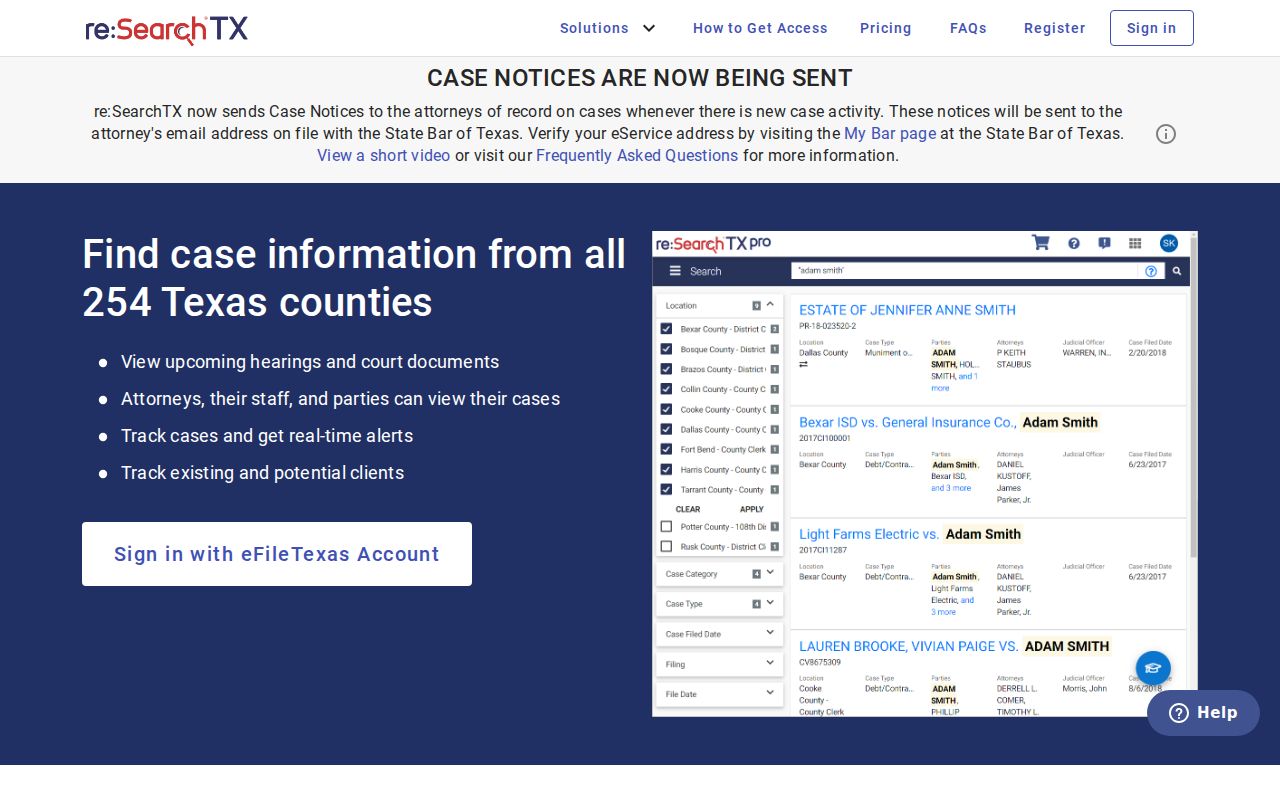
Fort Bend Odyssey comes first for a known local case. It opens local case families, Register of Actions entries, and document links. re:SearchTX is a separate statewide, role-based layer for eligible electronic records. State material there describes cases, filings, and hearings, plus broad civil and probate document access, but criminal case records stay out of its statewide document set.
| re:SearchTX | Fort Bend Odyssey |
|---|---|
| Statewide participating-court layer | Fort Bend local case system |
| Role-based access to eligible electronic records | Public search menus by local case family |
| Useful for cross-county civil or probate research | Best for a known Fort Bend case and local docket detail |
| Criminal documents excluded from statewide set | Local criminal search is available, subject to restrictions |
The re:SearchTX entry page describes the statewide access model.
Fort Bend Clerk-Assisted Searches
Self-service docket searches only go so far in Fort Bend County. When a docket lookup stalls, the District Clerk takes written requests instead. Fill out the Search Request Form for a felony criminal or civil name search. It asks for the record class and the name. It also wants any extra identifying details, plus the date span you want checked. An ordinary search covers ten years. That span applies unless you say otherwise. Each felony or civil name search costs $5, paid in advance. Plan on roughly three business days for the clerk to finish.
You can mail the form or bring it in. The Justice Center counter handles in-person service for the district courts during its posted hours. Customer Service answers questions at 281-341-4515. County Court at Law civil, misdemeanor, or probate files are a different office. Take those to the County Clerk courts counter. A phone call can point you the right way before you travel. It will not, though, create a written copy order on its own.
Which Cases Stay Restricted
Open access has limits. Some Fort Bend County court records and images stay closed to the public. The limits have good legal reasons. Sealed civil records fall under Texas Rule of Civil Procedure 76a. Juvenile records carry protection under Family Code Chapter 58. Sensitive data and restriction duties are governed by Texas Rule of Civil Procedure 21c plus the statewide criminal e-filing rules. Protective-order files and certain family records can carry special limits too.
On E-Certify, public users may view and buy documents. Those must be unsealed, non-confidential, and properly redacted. Parties and their attorneys get a separate Attorney & Party Access route for eligible records. When an image is missing, it may be restricted. It may just not be imaged yet. Or it may be held until a formal request is filed. Start with the Register of Actions. Then ask the right clerk directly about that document's access state.
Fort Bend Search Fallbacks
Even a well-built court system goes dark now and then. The county website keeps running. Note the date and time, save the official landing URL, and contact the correct clerk. Fort Bend posted a 2026 notice. It said re:SearchTX was temporarily down and steered users to District Clerk Customer Service at 281-341-4515.
There are other routes. You can research in person at the right clerk counter. You can also mail or deliver written search and copy forms under their instructions. A JP matter belongs with that precinct's court. A city citation goes back to the municipal court that issued it. That chain keeps a Fort Bend County docket search from landing at the wrong office.